Month of Progress

I've worked incredibly hard on TEE over the past 30 or so days. Rather than get into too much detail, here's some brief explanations and pictures:

Click & Drag Selections

I completed the ability to both click 3D objects to select them and drag the mouse to select more than one object. Lots of work was needed to give this an immediate and responsive feel with no slowdown. This was achieved by caching the results of intensive operations such as calculating object and chunk bounding box data and re-calculating when changed instead of re-calculating every frame.

Debug Visualizations

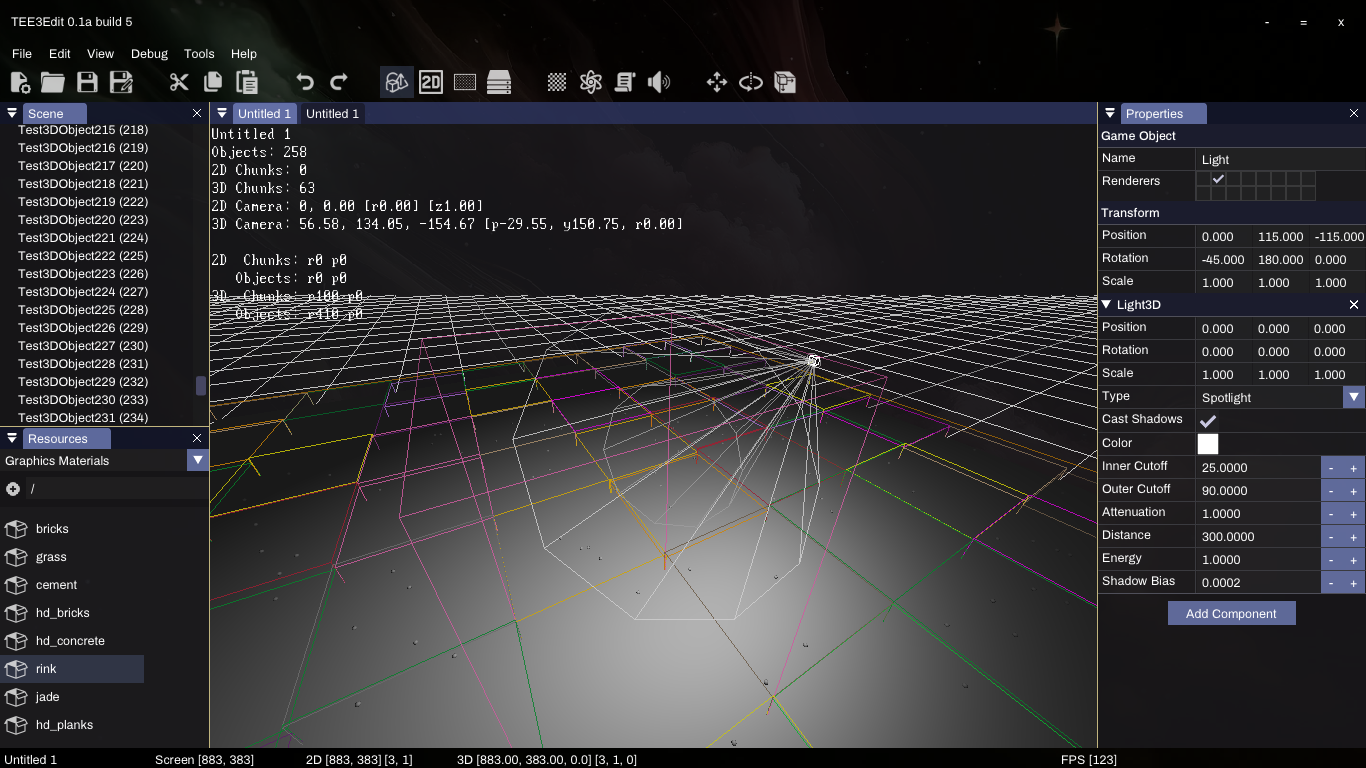
There are various debug displays built into the engine. Everything from coordinates to chunk borders to shadowmap displays

Texture Streaming

Not only did I implement textures (and Graphics Materials), but I did so using multithreading. This means that textures can load while new parts of the scene (level) load with no frame drops. Instead of dealing with an entire texture at once, it instead loads in chunks. Not only that, but a system is in place to allow for multiple texture qualities, giving gamers the ability to adjust their texture quality. Textures will also load a lower quality version before loading the higher quality ones to minimize the time that no texture is displayed.

Completion of Light Components

Light support (Spot, Directional, Omni) is now more polished and contains all sorts of properties and adjustable functionality.

Frustum Culling Optimization

A system is now in place that only renders visible chunks (which contain meshes). Soon, the engine will also have adjustments for renderable distance.

Resource Manager Improvements

Images, Textures, Sounds, Music and Meshes now get recognized within the game data and mod data directories and are registered as resources automatically by the engine upon startup. This saves time in not needing to also create a resource, select the file, etc. within the editor.

What's next?

Work will continue on completing the TEE 3D features as well as the editor itself. Currently I'm looking at:

  • Engine: Implementing mesh streaming, which will work similar to texture streaming in that extremely large models could be loaded during gameplay with no slowdown.

  • Engine: Implementing render distance, and also include an option to initialize and unload based on visibility and distance (which would be useful in large, open world games)

  • Editor: Add the mouse-based transformation tools (scale, rotate, position)

  • Engine & Editor: Particles, which I plan to implement via GPU shaders to keep the main thread clean and optimized.

  • Engine & Editor: Sound and music, which will also need to be streamed in (similar to textures and meshes)

We're not too far away from getting to the fun stuff like physics, scripting and multiplayer networking. The good news is that what I'm working on now is what I consider to be "the hard part", and I'm just about there. What it all boils down to is; I can't wait to begin making fun games with this toolset :)
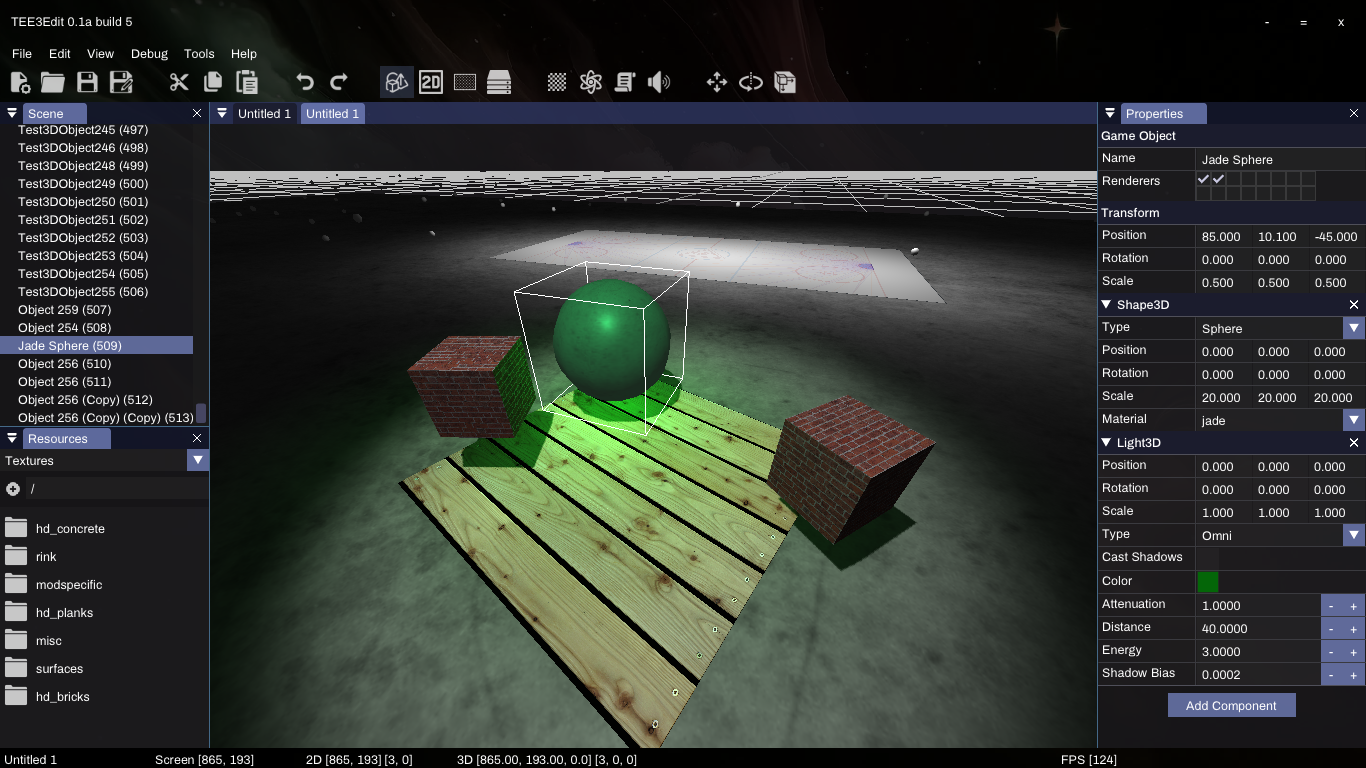
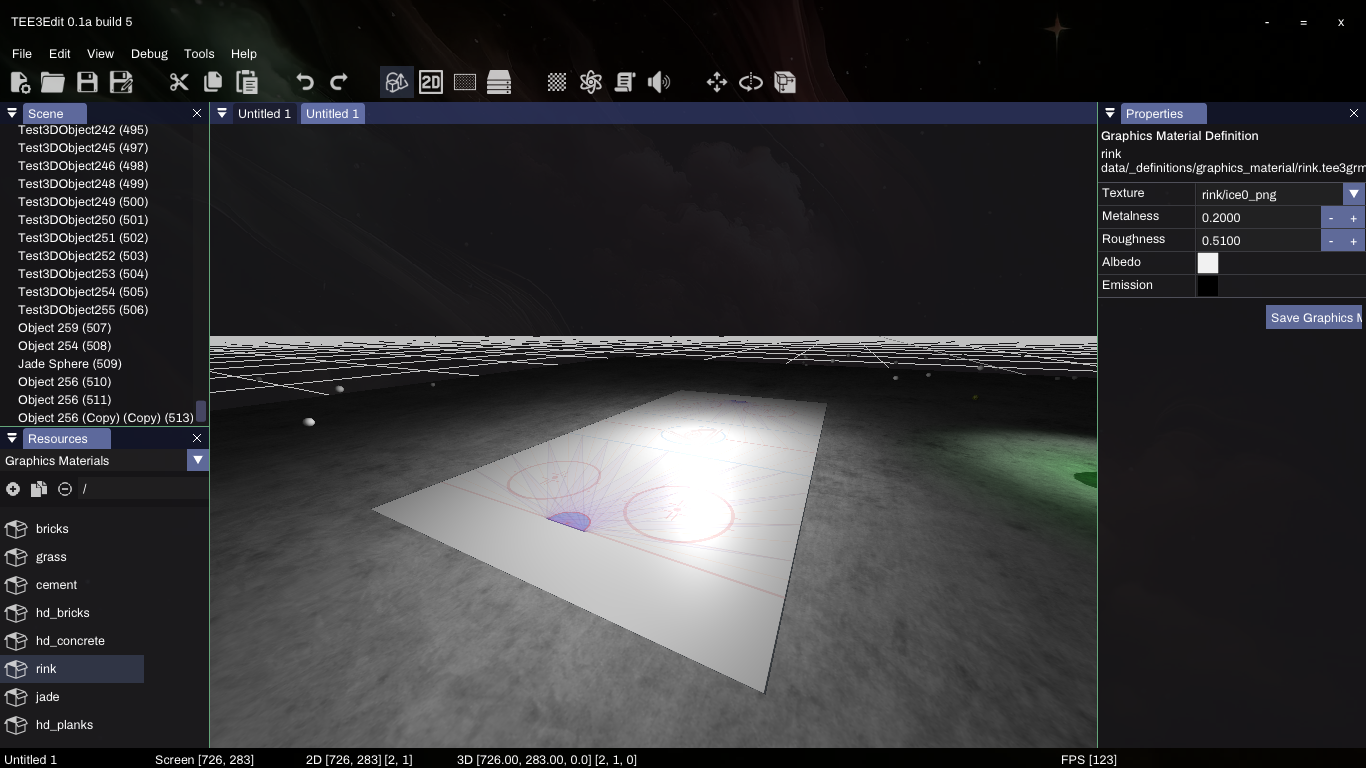
Textures, Lighting and Shadows

Textures, Lighting and Shadows

Lighting and reflections

Lighting and reflections

An example of the various debug displays, and the underlying chunks within the scene

An example of the various debug displays, and the underlying chunks within the scene

3D Progress

Well... if you read the last post, that was a long week or two!

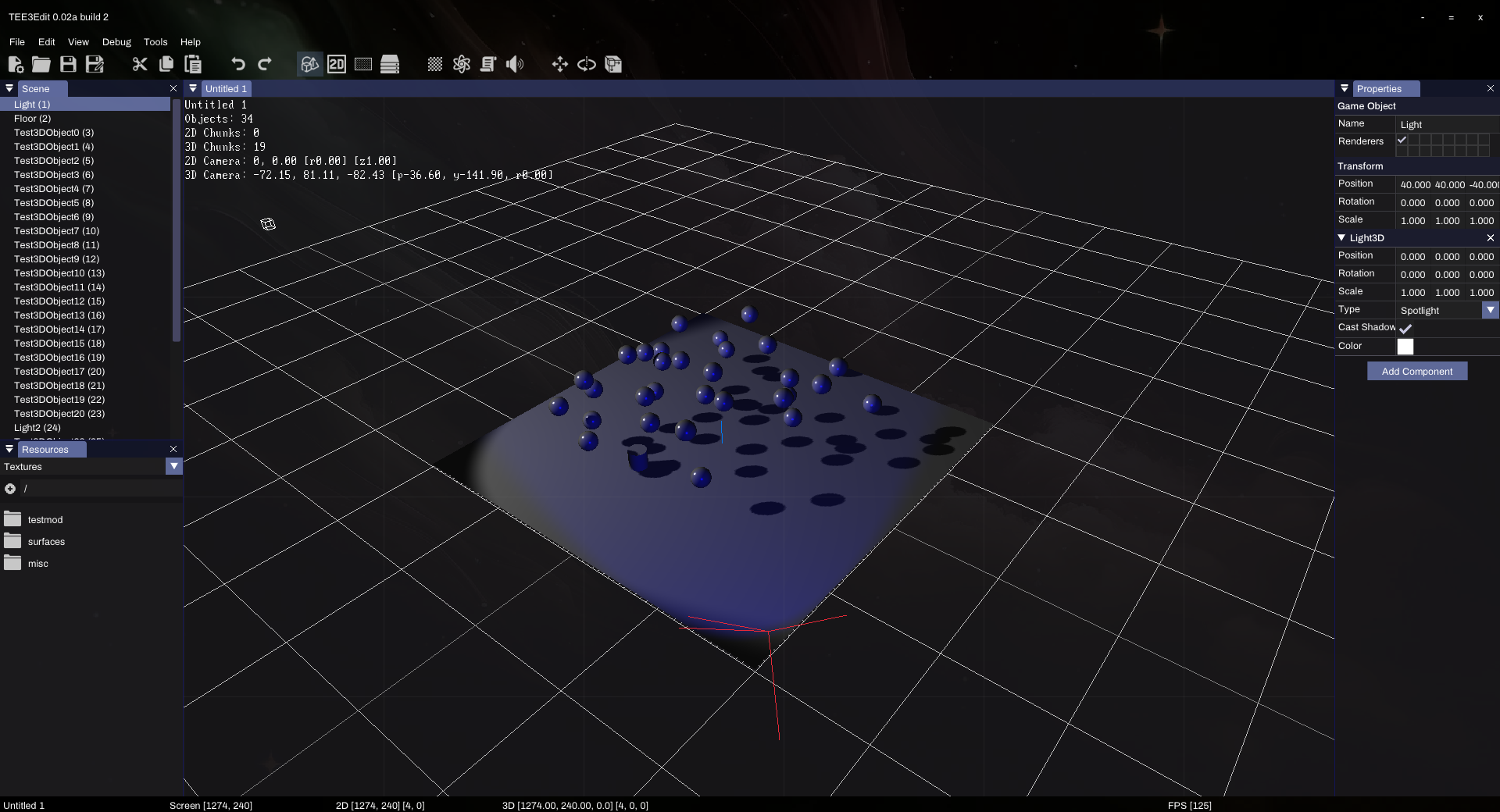
Though I was able to render 3D objects without any issue, I was not satisfied with the shadows and lighting. It took a fair amount of time, but eventually new shaders were completed that seem to do the job much better than any previous renditions of the engine! Take a look:

Demonstration of 3D lighting and shadows in the Third Eye Engine

Demonstration of 3D lighting and shadows in the Third Eye Engine

It doesn't look like much, but this lighting and shadow setup is much more natural than previous TEE projects, and does not have a number of issues that the previous engines and demos had. It currently supports unlimited lights, each of which can be configured as to whether they produce shadows or not. The lights themselves have many properties and work alongside the materials system which allows for a very high degree of customizability (which is not completely shown in the screenshot because the properties are not yet integrated into the editor).

This system means two things; on one hand, there is full control over 3D rendering at a low level, which will be advantageous if one wants things to look a very specific way. On the other, a customized low level framework is a major responsibility and really takes an additional leap towards the engine's independence of major libraries, for better or worse. I was prepared for this and decided early on that this was a potential outcome.

Here's what has been done on the 3D side of things:

  • Created a "chunk" based system that works behind the scenes to both render and otherwise manage objects, similar to what you would see on a never-ending, procedurally generated game such as Minecraft. I wanted to make this decision early so as to not limit the size of the worlds that will be supported with this engine. This allows for more efficient object rendering, querying and other functionality by only involving objects within a certain space instead of looping through every object in a scene. In the near future, there will be options for having all chunks loaded at once for smaller games, or loading/unloading based on proximity. One example of a use of this system is within the editor yourself. When you select a 3D object, it doesn't loop through every object in a scene to see if it was clicked, it instead finds which chunk was clicked within the scene and loops through only objects within that chunk. In an average scene with 20+ chunks loaded at once, this greatly reduces the CPU usage needed to figure out which object was in fact clicked.

    • Created a basic rendering system, which was eventually replaced with a more complex, shader based system (which I worked with outside help on). The engine now supports multiple shaders and you can select them on a per-object basis (for example, you could have an object drawn with no shadows, or vice versa). There are two default 3D shaders; "default" (which supports drawing 3D objects with lighting) and shadows (which calculates and applies shadows to the scene). This means that in the future it will be possible add other neat effects such as glowing, screen distortion, motion blur, bloom, rain, etc. There is also high potential for allowing custom shaders to be loaded in for mods.

    • Completed selections. Not much else to say about this outside of the fact that it's more precise than the previous, Irrlicht-based engine.

Here's what's left on the 3D agenda:

  • Dragging selections
  • Add all of the various properties to lights within the editor (there's a ton of control possible here)
  • Complete chunk based system (mostly cleanup, eg. remove chunks that no longer have objects, etc.)
  • Add camera culling so that chunks off-screen are not drawn
  • Add the mouse-based transformation tools (scale, rotate, position)
  • Complete "materials" that take advantage of all of the (already completed) shader features, and allow for texture application. Then add material selection to the existing Shape3D objects.
  • Add a mesh component that renders 3D meshes (eg. .obj files, etc.)
  • Particles

This may seem like a long list, but this is quite a bit easier than the rendering itself was. I look forward to seeing the 3D graphics in action, when we move on to physics. I'll likely update as this work gets done. 3D rendering and shaders were a serious battle. I'm glad we're on this end of it.

2D Fin

Just a short update before the meatier, 3d/physics/scripting/multiplayer updates begin to roll out. Over the past week I have thoroughly gone through the features needed for 2D (amongst several other things). Here's what was accomplished:

  • Ability to add/remove/delete game objects and components is complete
  • Overall spent time cleaning up and commenting existing code
  • Implemented visual grid lines to represent the chunk spaces (both 2D and 3D use a chunk based system)
  • Implemented scrolling with the mouse
  • Implemented zoom in/out (this requires reworking of several features)
  • Implemented scene window selections
  • Implemented all transformations for both single objects and multi-object selections (Scale, Rotate, Move)
  • Added custom mouse cursor functionality to themes
  • Re-wrangled the engine and editor to compile and function properly natively on Linux (the goal is to have native Windows and Linux executables)

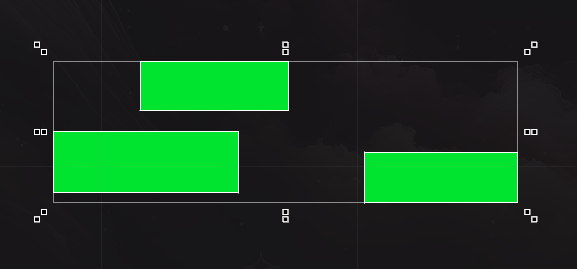
An example of selected objects with transform controls

An example of selected objects with transform controls

It's just about time to get started on the 3d rendering. Once we get that to the same level as the 2D (rendering / selections / transforms) things will begin get very exciting. I expect a similar week or two to get it to a somewhat reasonable point, and so I'll see you then!

Resources and modding

After a weekend of intent work, the resources and mods systems are well underway and are nearing completion. By making resource classes generic and applying what are internally called "fields" to the class, I've managed to make a system where adding new resource types (including the GUI to modify / manage them) can be done extremely quickly without any upgrades to the editor (which automatically understands how to produce an interface for modifications). I'll explain a little more about that at the end of the post as it is similar to what will be done with game object components.

Work completed this weekend:

  • Brushed up on the editor GUI itself and fully completed docking functionality; windows can be docked on any part of the screen or even docked in other windows. The GUI for TEE3Edit is completely customizable.
  • Implemented field-based data system for resources, so that for each given ResourceType I can describe what data it contains and have the various frontends generated automatically. This is opposed to my previous methods of writing save/load and a custom GUI for each one, saving many, many hours. With this system, the resource itself, the GUI for modifying it, saving, and loading can all be done automatically based on the defined fields. In fact I added a "Spritesheet" resource yesterday that contains an image, frame width and frame height. It took me 10 minutes to add the resource type, after which point it was already saving, loading and showing up in the editor. This saves a ton of time, but will save literal hundreds of hours when we get to game components.
  • Completed saving / loading for resources and a mod based system that allows for multiple mods to be loaded (further extending / changing resources)
  • Completed GUI generation for resources and a basic property editor system that integrates with the "fields" of the resources
  • Completed frontend for 3 field types: text, integer, file (which implements a customizable file open dialog)
  • Completed custom resource browser in editor, which takes mods into consideration. This is a huge improvement over the last editor; allowing you to browse resources via a folder based system. On the previous engine, resources were all just one giant list.
  • Completed basic selection of resources so that they can be modified, duplicated, removed, etc.
  • Implemented Texture, Tilesheet, Spritesheet, Mesh, Sound and Music resources

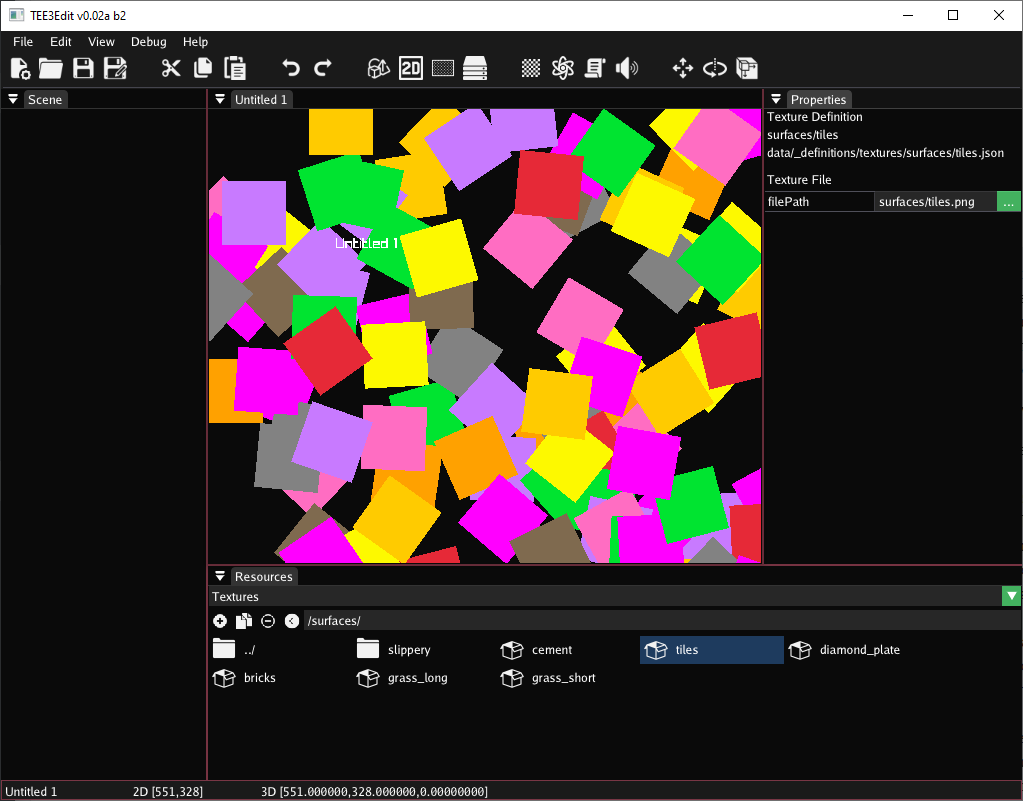
Screenshot showing the new resource browser and GUI for modification of a resource

Screenshot showing the new resource browser and GUI for modification of a resource

The work completed here will save me well over 100 hours when compared with the previous system. Previously when I had to create a new resource type for some new feature, I'd have to:

  • Make the resource class
  • Make an editor interface (so that you have controls to modify the resource)
  • Saving routine (serialize data to JSON)
  • Loading routine (reserialize data from JSON)
  • Integrate into engine (autoload resource so that it's available, load modded versions of resources, etc.)

Now? I create the resource class (including a field register function that describes the resource data), and with one line of code I can "register" it to the resource manager, and it takes care of the interface, saving, loading and engine integration. This is similar in nature to what will be done with game object components as well, and is a big reason for why this iteration of the engine will develop quickly (many fewer thousands of lines of code and fewer troubleshooting hours).

With multiple scenes at once now being possible, each resource now also keeps track of usage. Later down the line this will evolve into a system that loads/unloads resources as needed. Each resource is effectively two things: the resource "record", which is always loaded and contains the minimal data needed to describe it, and then the resource itself. For example, a Texture resource contains the record (a path to the texture) and the resource (the actual image loaded into memory). The records are always available and the resources themselves will load/unload as needed.

It can't be exciting for many of you to read this, but as a developer I'd say this weekend was a success! I'm looking forward to continuing with this new style of development that sees me doing more of the fun stuff, and far less of the repetitive stuff.